

Quick Answer
Put in 2 fresh AAA batteries, unplug the Fire TV for 60 seconds, then hold the Home button for 10 seconds to re-pair. Still dead? Reset the remote: hold Left + Menu + Back for 12 seconds. If only volume or power fail, fix them in Settings › Equipment Control.
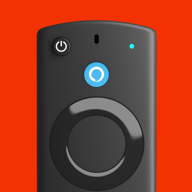
Need a remote right now?Several fixes below need the Fire TV Settings menu. Fire TV Remote on your iPhone gets you there over Wi-Fi.
Get It Free1. Replace the Batteries
Weak batteries are the #1 cause. A remote with low batteries often still lights up but responds late, skips presses or loses its connection.
- Use 2 new AAA alkaline batteries from a fresh pack, not ones from the drawer.
- Check the + and − markings inside the cover.
- Rechargeable batteries run at a lower voltage and can cause flaky behavior. Try alkaline first.
2. Restart the Fire TV
Unplug the Fire TV’s power cable (from the wall, not just the TV), wait 60 seconds and plug it back in. This clears stuck Bluetooth connections.
While you’re there: plug the Fire TV into the wall adapter that came with it. TV USB ports often don’t supply enough power, which causes all kinds of random problems, including a remote that stops responding.
3. Move Closer and Use the HDMI Extender
The Fire TV remote talks to the stick over Bluetooth. It doesn’t need line of sight, but the signal gets weak when the stick is jammed behind a metal TV or a wall-mount bracket.
- Test the remote from 3–5 feet away.
- Connect the stick with the short HDMI extender cable from the box so it hangs away from the back of the TV.
- Move Wi-Fi routers, microwaves and other wireless gear away from the stick.
4. Re-Pair the Remote
Remotes can lose their pairing after a power cut or an update. Re-pairing takes 10 seconds:
- Stand close to the Fire TV with the Home screen showing.
- Press and hold the Home button for about 10 seconds.
- You’ll see a message on screen when the remote is paired.
If nothing happens, open Settings › Controllers & Bluetooth Devices › Amazon Fire TV Remotes › Add New Remote (use a phone remote app to get there), then hold Home again.
5. Reset the Remote
A reset clears the remote’s memory and fixes most remotes that still won’t pair. Follow these steps exactly:
- Unplug the Fire TV from power and wait 60 seconds.
- On the remote, press and hold Left + Menu + Back together for 12 seconds.
- Release, wait 5 seconds, then take the batteries out.
- Plug the Fire TV back in and wait 60 seconds for the Home screen.
- Put the batteries back in and press Home. If it doesn’t pair within a minute, hold Home for 10 seconds.
Light flashing orange? A remote whose amber light keeps flashing is in pairing mode and isn’t connected yet. Hold Home for 10 seconds close to the Fire TV.
6. Remove Old Remotes and Controllers
If you’ve paired several remotes, game controllers or Bluetooth headphones over the years, remove the ones you don’t use anymore. Go to Settings › Controllers & Bluetooth Devices, open each list, select an old device and press Menu to unpair it. Then pair your remote again with step 4.
7. Fix Volume, Mute and Power Buttons
If navigation works but volume, mute or power don’t, the remote itself is fine. Those buttons control your TV or soundbar with infrared, so they need to be set up for your TV brand and pointed at the TV.
- Open Settings › Equipment Control › Manage Equipment › TV.
- Choose Change TV and follow the prompts. The Fire TV tests IR profiles until the volume works.
- For a soundbar or AV receiver, add it under Manage Equipment › Add Equipment.
Make sure nothing blocks the line of sight between the remote and the TV’s IR sensor (usually at the bottom of the screen).
8. Check HDMI-CEC
Turning the TV on and off with the Fire TV remote also relies on HDMI-CEC. Check that it’s on in Settings › Display & Sounds › HDMI CEC Device Control and in your TV’s settings (Samsung calls it Anynet+, LG SIMPLINK, Sony BRAVIA Sync). The full list of names is in our HDMI-CEC section.
9. Update the Fire TV Software
Updates fix Bluetooth bugs. Go to Settings › My Fire TV › About and choose Check for Updates, then Install Update if one is available. The remote may need to be re-paired after a big update.
10. Check Compatibility or Replace the Remote
If none of the fixes worked, look for physical damage: a dropped remote, a spill or corroded battery contacts. Also make sure the remote is meant for your device — a remote that came with a different TV or an older Fire TV model might not pair.
A current Alexa Voice Remote (standard, Lite or Pro) is the safest replacement. Until it arrives, use your iPhone.
Keep watching while you waitFire TV Remote turns your iPhone into a full Fire TV remote with a keyboard, voice and touchpad.
Get It FreeFAQ
Why is my Firestick remote not working even with new batteries?
The remote has probably lost its pairing. Unplug the Fire TV for 60 seconds, then hold the Home button on the remote for 10 seconds near the TV. If that fails, reset the remote by holding Left, Menu and Back together for 12 seconds.
How do I reset my Fire TV remote?
Unplug the Fire TV and wait 60 seconds. Hold Left, Menu and Back together for 12 seconds, wait 5 seconds and remove the batteries. Plug the Fire TV back in, wait 60 seconds, put the batteries back and press Home.
Why do the volume buttons on my Fire TV remote not work?
Volume, mute and power control your TV with infrared, separately from the Bluetooth connection to the Fire TV. Set them up again in Settings › Equipment Control › Manage Equipment › TV › Change TV, and keep a clear line of sight to the TV.
Why is the light on my Firestick remote flashing orange?
A flashing amber light usually means the remote is in pairing mode and isn’t connected to a Fire TV. Hold the Home button for 10 seconds close to the Fire TV to pair it.
Can I use my phone while my Firestick remote is broken?
Yes. If your Fire TV is on Wi-Fi, a remote app such as Fire TV Remote for iPhone gives you every button, plus a keyboard and voice, so you can keep watching and reach the settings you need to fix the remote.